I'm having Speech Recognition Microphone Issues. How can I resolve this?
Here are a few tips we suggest off the bat:
- Before you try any of the following steps, close the app completely and restart it
- If you are using bluetooth headset, try using without it (using your phone mic)
- Make sure you are using Jumpspeak in a quiet setting, so there is no background noise affecting the microphone
One of the quickest fixes is to adjust your Speech Engine settings inside the app. This feature lets you choose how your pronunciation is processed, which can instantly improve accuracy.
How to update your Speech Engine:
- Tap the PROFILE icon on the top right of the screen.
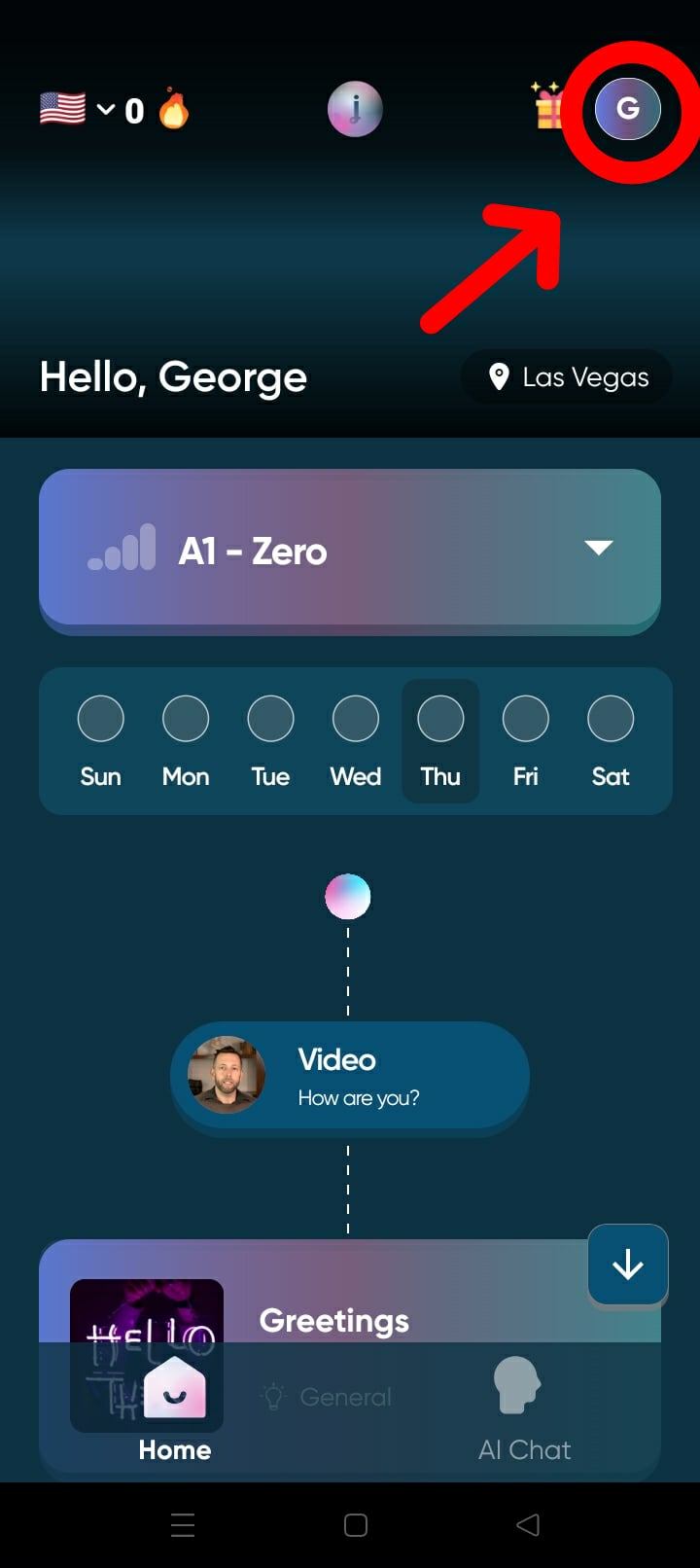
OR
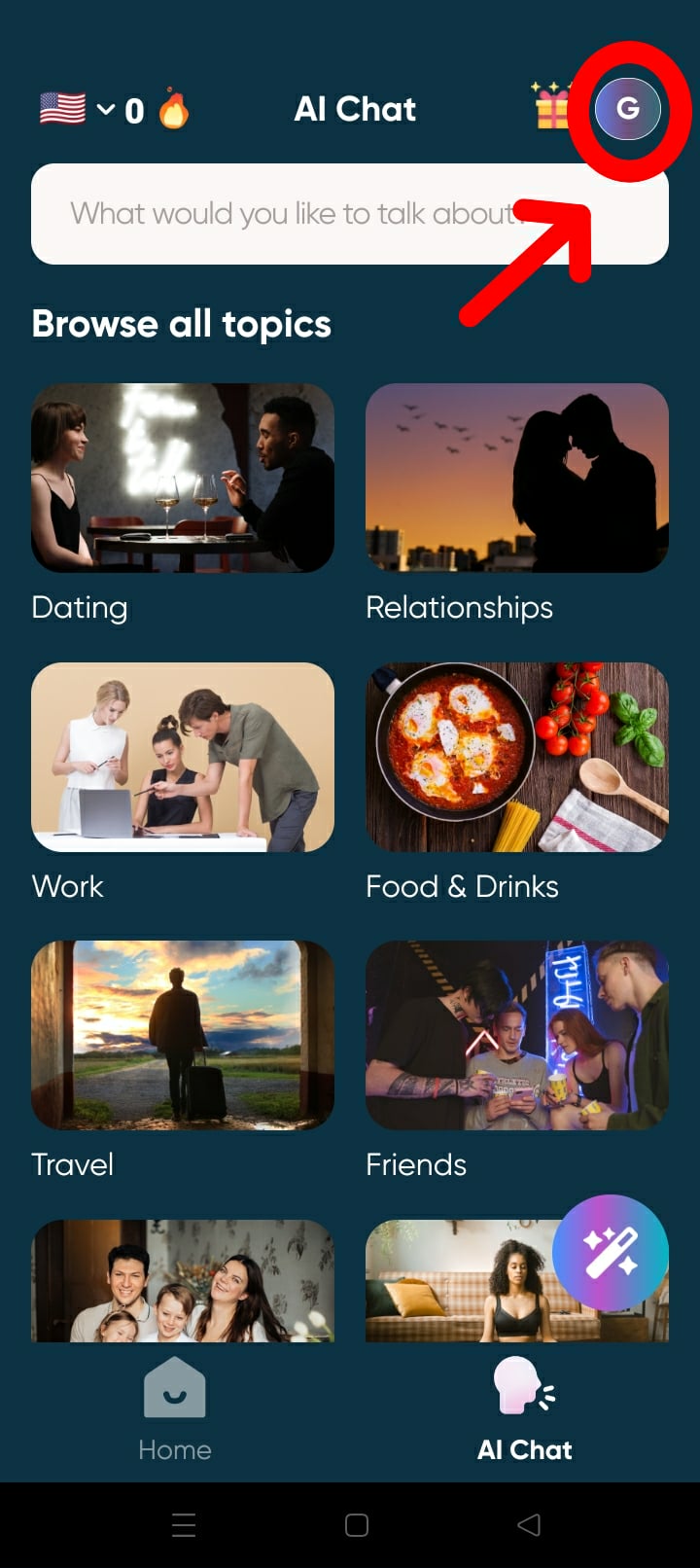
- Scroll down to Lesson Experience > Speech Engine
- Select Default, Deepgram, or Speechmatics, then try your speaking exercises again.
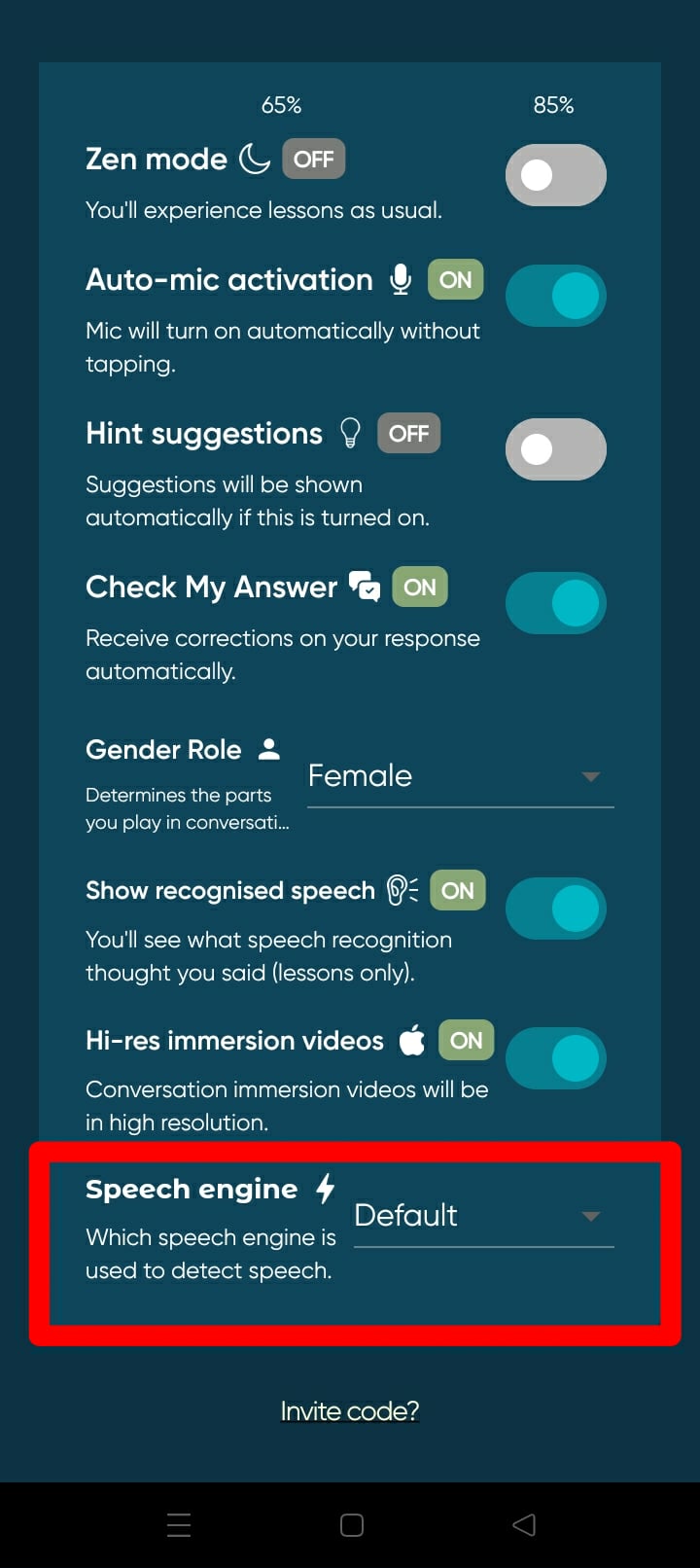
Speech Engine Options:
- Default: Optimized for general lessons and works well for most users.
- Deepgram: An alternative engine that interprets pronunciation differently and may give better results for some voices.
- Speechmatics: Another strong option that can be more sensitive to certain speech patterns.